Sync tasks
Sync tasks are the most important type of task. They combine multiple Jobs into a single object, so NIM can evaluate & execute them together. This is analogous to how jobs combine multiple Mappings & Roles into a single object.
To get started, Create a sync task.
Stage 1: Collect
In the Collect stage, NIM collects tables from the specified system(s) and updates the Vault. See Collection.
Typically, you should configure a sync task to collect all systems involved in all jobs that are included in the task's Execute stage.
Stage 2: Evaluate
In the Evaluate stage, NIM generates a preview report of changes that will occur in the Execute stage. This gives you a window of opportunity to manually intervene, in case the preview contains undesired changes.
This stage is a trigger event of type sync evaluation. See Sync evaluation.
Tip
Emails are sent using the SMTP server specified in the Mail settings.
Stage 3: Execute
In the Execute stage, NIM executes the specified Jobs according to the specified schedule. The jobs are executed in a top-down order, one after the other.
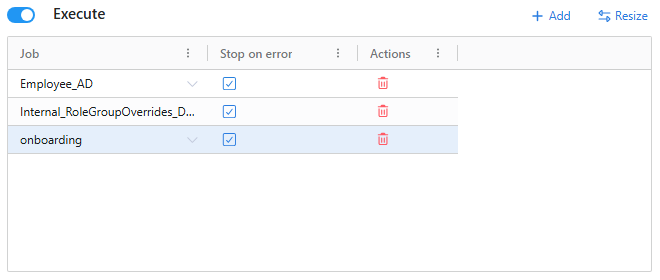
Once all jobs have been run successfully, or have stopped due to an error, the sync event type is triggered. See the events page for more information.
Although all three stages of a sync task are optional, you will typically at least enable Collect and Execute. Only unusual situations require disabling either of these stages.